How to Style the Squarespace Tag Cloud with CSS (3 Custom Styles)
The default Squarespace Tag Cloud block hasn't changed much in years. By default, it uses a "cloud" layout where tags are different sizes based on frequency—which usually just looks cluttered and unprofessional.
If you want your blog categories or tags to look like a high-end editorial menu or modern buttons, you need a little bit of Custom CSS.
In this tutorial, I’m sharing three distinct ways to style your Tag Cloud block to make it look intentional and polished.
How to Add This Code
In your Squarespace menu, go to Website > Website Tools > Custom CSS.
Copy and paste your preferred style from the options below.
Hit Save.
Style 1: The Editorial Underline
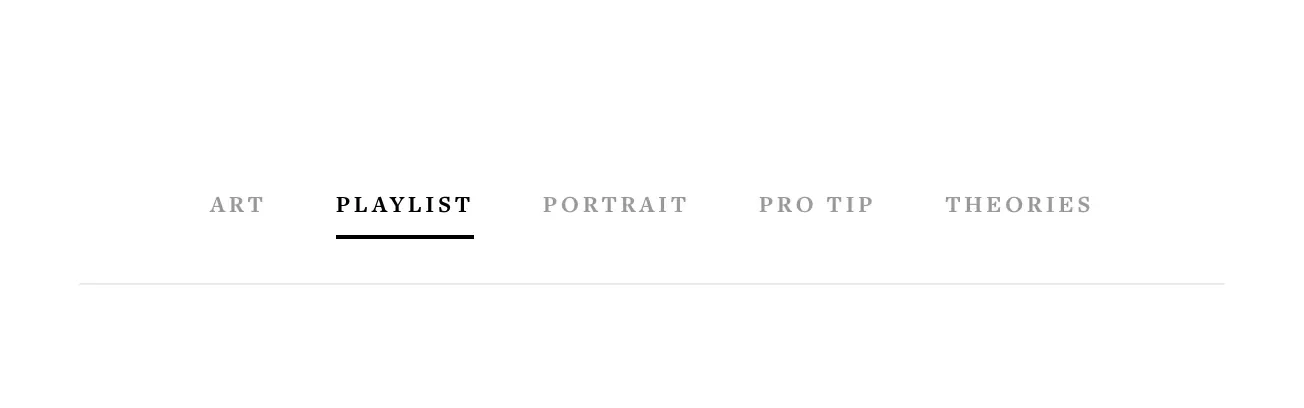
This style is perfect for minimalist, high-fashion, or photography websites. It treats the tags like a clean navigation menu with a sophisticated hover effect that expands an underline from the center.
Best for: Clean, airy layouts and minimal portfolios.
.sqs-block-tagcloud {
  text-align: center;
  border-bottom: 1px solid #eaeaea;
  padding-bottom: 20px;
}

.sqs-block-tagcloud li {
  display: inline-block !important;
  margin: 0 15px !important;
}

.sqs-block-tagcloud li a {
  font-size: 12px !important;
  font-weight: 700 !important;
  text-transform: uppercase;
  letter-spacing: 0.15em;
  color: #999 !important;
  transition: color 0.3s ease;
  position: relative;
  padding: 10px 0 !important;
}

/* Create the custom underline effect */
.sqs-block-tagcloud li a:hover {
  color: #000 !important;
}

.sqs-block-tagcloud li a::after {
  content: '';
  position: absolute;
  bottom: 0px; /* Align with the container border */
  left: 0;
  width: 0;
  height: 2px;
  background: #000;
  transition: width 0.3s ease;
}

.sqs-block-tagcloud li a:hover::after {
  width: 100%;
}
Style 2: Modern Rounded Pills
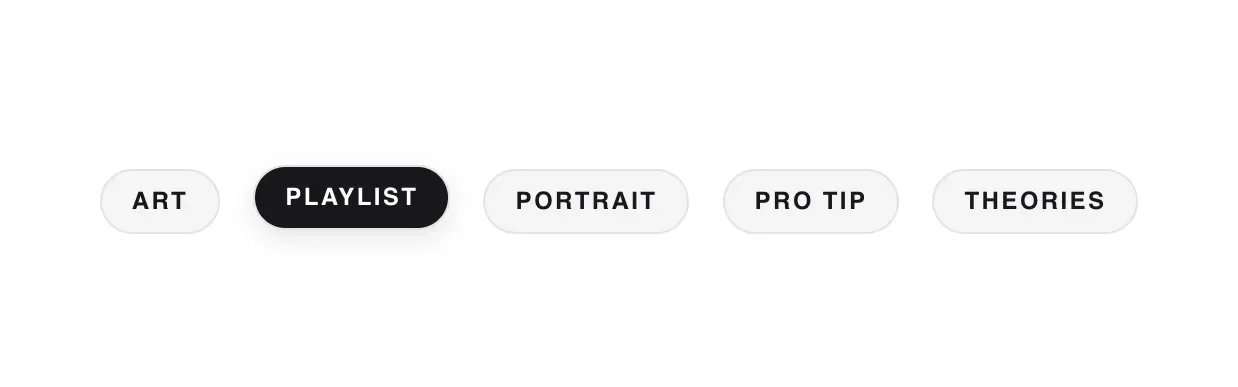
If you want your tags to look like interactive buttons, this "Pill" style is the way to go. It uses light backgrounds and heavy rounded corners to create a modern, app-like interface that is very user-friendly.
Best for: Modern blogs, tech sites, and lifestyle influencers.
/* Target the Tag Cloud Block specifically */
.sqs-block-tagcloud {
  text-align: center;
  max-width: 800px;
  margin: 0 auto !important;
}

.sqs-block-tagcloud li {
  display: inline-block !important;
  margin: 6px !important;
  font-family: sans-serif;
}

.sqs-block-tagcloud li a {
  /* Reset Squarespace's weighted font sizes */
  font-size: 12px !important;
  font-weight: 600 !important;
  text-transform: uppercase;
  letter-spacing: 0.1em;

  /* Pill Styling */
  background-color: #f4f4f5 !important; /* Soft Gray */
  color: #18181b !important;
  padding: 0px 15px !important;
  border-radius: 100px !important;
  transition: all 0.2s ease-in-out !important;
  border: 1px solid #e4e4e7 !important;
  display: block;
}

.sqs-block-tagcloud li a:hover {
  background-color: #18181b !important; /* Dark on hover */
  color: #ffffff !important;
  transform: translateY(-2px);
  box-shadow: 0 4px 12px rgba(0,0,0,0.1);
}
Style 3: Bold Dark Mode Chips
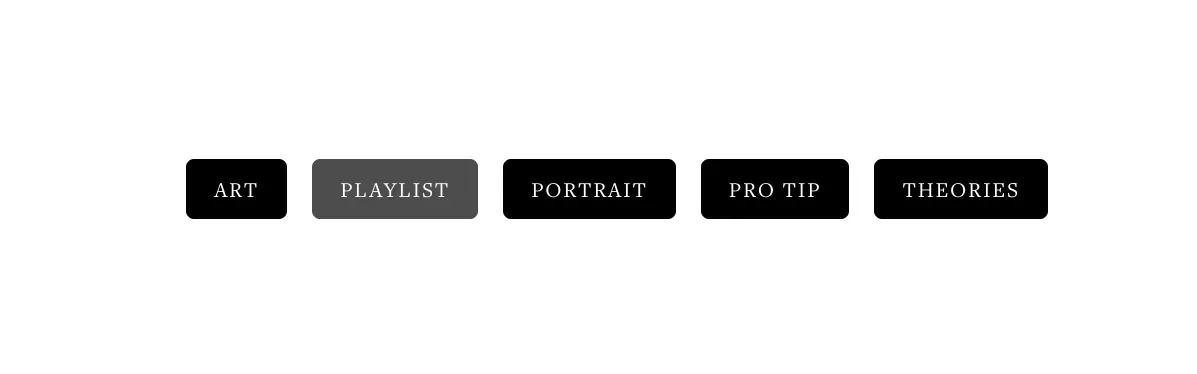
For a more high-contrast, "industrial" look, this style uses dark backgrounds with white text and slightly rounded corners. It creates a strong visual hierarchy and makes your tags pop off the page.
Best for: Bold brands, dark mode sites, or edgy editorial layouts.
.sqs-block-tagcloud {
  text-align: center;
  max-width: 700px;
}

.sqs-block-tagcloud li {
  display: inline-block !important;
  margin: 4px !important;
}

.sqs-block-tagcloud li a {
  background: #000 !important;
  color: #fff !important;
  font-size: 11px !important;
  font-weight: 500 !important;
  text-transform: uppercase;
  letter-spacing: .08em !important;
  padding: 8px 14px !important;
  border-radius: 4px !important; /* Squared chips */
  transition: opacity 0.2s ease;
}

.sqs-block-tagcloud li a:hover {
  opacity: 0.7 !important;
}
Pro Tip: Check Your Block Settings
For these CSS snippets to work best, make sure your Tag Cloud block settings are set to Layout: Cloud (don't worry, the CSS will fix the alignment) and that you have the Show Tag Count turned off for the cleanest look.
